
// TRAINING REGISTRY
SCOM ADMINISTRATOR Training
Whether you are new to Microsoft System Center Operations Manager (SCOM) or already have some experience with the product, you may want or need to gain more knowledge on this product. You could be newly assigned to a team managing SCOM or tasked to upgrade or extend the usage of SCOM in your organization. Our SCOM Admin training is meant to give you essential knowledge you need to successfully administer and use this product in your organization. This TopQore SCOM Admin training is given by experienced SCOM consultants with years of hands-on experience in implementing and administering SCOM environments from small to large deployments in diverse business sectors.
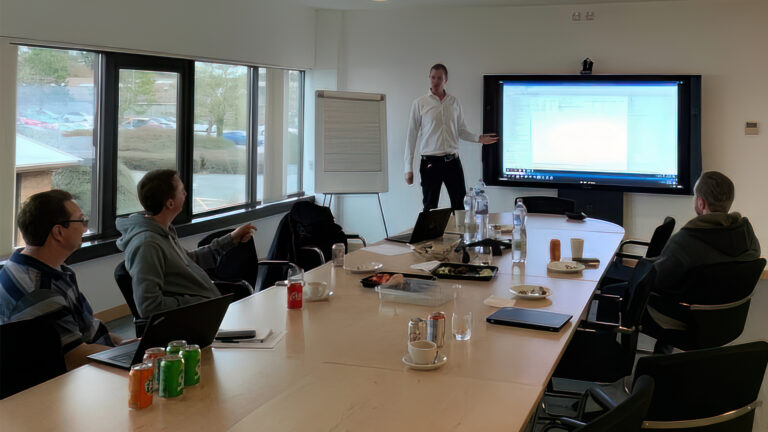
The course is created under guidance of a multi-year Microsoft MVP from TopQore, and features guest appearances by other MVP’s.
ENROLLMENT SEQUENCE
Register below for the training and exam!
Extra Offer: Public SCOM Administrator Training and Exam
COST ASSESSMENT
€1450 EUR / $1740 USD
Euro and USD currencies available in shop, adjust currency top-left.
Note: Prices are excluding taxes, if they apply
NEXT_DATES
We have sessions monthly!
- 15 September 2026 – 17 September 2026 — 3 whole days
- 10 November 2026 – 12 November 2026 — 3 whole days
When ordering, please add Name and e-mail
We will contact to schedule which date.
Use time zone converter to compare your time against CET/CEST (Amsterdam).
Whether you’re new to SCOM or want to build confidence in daily operations
— this training is built for you.
Intended audience
Our SCOM Administrator Training covers subjects that are essential to those who administer System Center Operations Manager of all versions. To get the most value out of our training, participants are expected to have prior experience with recent versions of Microsoft Windows Server. Basic understanding of Microsoft System Center products, Active Directory, SQL, PowerShell, and networking services is considered useful.
For our certification path, the SCOM Operator certification is a prerequisite for passing the SCOM Administrator certification. For in-house trainings these two can be combined into one. For more information regarding our TopQore SCOM Certification Path and possibilities, please visit our overview page.
“Very consistent, clear and fast!
The lab had no errors in the instructions or the environment!
And the test was fun! Big thank you to Bob and his TopQore Crew!“
I rate this Training 10 out of 10, would do it again!
Misha Yang – IT Infrastructure Monitoring Specialist (working in Sweden in the Banking Industry)
At course completion
After completing the SCOM Administrator Training, the participants will be able to:
- Explain what a SCOM management group is and how its components relate and interact
- Understand the various SCOM infra roles and what is needed to install them
- Be able to make a simple design and run an installation of SCOM
- Connect new servers and clients to SCOM
- Understand both the health & class model basics
- Understand the possibilities and differences between rules and monitors
- Navigate through the SCOM console to perform various tasks
- Modify or tune existing monitoring solutions to fit your environment
- Work with notifications through e-mail and text message
- Use, create and schedule reports
- Scope user permissions and share access to monitoring solutions
- Understand some of the third party add-ons and blogs
- Perform basic maintenance tasks that are required to keep the SCOM environment healthy
Training content
By default, the following subjects are part of the SCOM Administrator Training:
- Introduction TopQore, trainer and students
- Why SCOM, and what is it?
- Common SCOM Management Groups and their components
- Designing basic SCOM implementations
- Full SCOM design and installation walk-through with Lab
- Consoles
- Management Servers
- Resource Groups
- Databases
- Reporting Server
- Microsoft Monitoring Agent
- Gateway Servers
- Agents
- Understanding the Class Model
- Understanding the Health Model
- Understanding Monitors & Rules
- Navigating through the SCOM Console
- Using, creating and scheduling Reports
- Performing Maintenance Tasks
- Monitoring and maintaining SCOM
- Tuning alerts & performance
- Open Discussions at the end of every day (optional)
“Bob and TopQore is such a massive resource for knowledge.
They have really helped me a lot through my first year as a SCOM Admin“
– Joar –
Practical information
This training can be given worldwide, in English and Dutch. This training is mostly given remotely through Microsoft Teams. You can choose to invite us to your office or request a location that is convenient for you. We will normally present these more publicly with attendees from different companies. In that case we will use a small lab environment to demo things, instead of your own environment. For in-house trainings, we can use your SCOM environment to demo a number of things and you can practice in a live environment (for example Reporting).
The training will take 3 whole days.
After completing this training and passing the final Exam, participants receive a TopQore SCOM Administrator Certification through a special badge as shown above. The TopQore Certified SCOM Operator is a prerequisite to the SCOM Administrator badge.
Please reach out to contact@topqore.com for bookings and more information.